v1.4.3 · MIT Open Source · Zero Keystroke Upload

KuroCatA native desktop cat
right on your keyboard

KuroCat is a lightweight open source desktop companion built natively for macOS, Windows, Linux, and UOS. Syncs with typing, gaming, graphics tablets, and OBS with zero keystrokes logged or uploaded.

  • Native Swift / Win32 / GTK3
  • Fast mirror & GitHub Releases
  • Auditable MIT source, local only
Live Web Pet · Type or shake cursor

Your cat is floating in the corner

Scroll, type on your keyboard, or drag it anywhere on screen

Press any key to type · Shake mouse to hunt · Drag cat to lift KEYS 0
802 KB Windows single executable
4 OS Families macOS / Win / Linux / UOS
10+ Skins Built in & community skins
0 Bytes Keystrokes uploaded
Ecosystem Hub

Every KuroCat destination in one place

Jump straight to fast direct downloads, the online 2.5D skin editor, community skin & keyboard plaza, or MIT source docs.

Editor & Community

KuroCat Skin Workshop & Plaza

Turn your own cat into a 2.5D desktop pet right in the browser, or browse Xiao Douni, Monster Hunter Palico, Tabby, and custom keyboards.

workshop.kurocat.cc Open
MIT Open Source

GitHub Repository & Releases

Fully open source native code across all three platforms, built transparently via GitHub Actions. Star, report issues, or contribute skins.

github.com/chanke17/KuroCat View Source

No bloated browser wrapper. No keystrokes ever logged. Every head turn, blink, and keystroke runs natively on your machine.

Why KuroCat

Not a static sticker, it reacts to everything you do

Built from native input APIs and real time 2.5D vector physics for coding, gaming, digital illustration, and livestreaming.

Full state keyboard, mouse & 2.5D graphics tablet

Uses IOHIDManager on macOS, Raw Input on Windows, and XInput2 + evdev on Linux. Tracks rapid typing, WASD holds, stylus strokes, 3 key hind foot kicks, and 4 key tail taps.

Raw Input / IOHID Auto Stylus Mode True NKRO

2.5D spherical head tracking & expressive physics

Head, ears, whiskers, and eyes rotate smoothly toward your cursor. Shake fast for wide hunting eyes, pet for purrs, lift by the scruff with 2D inertia, and watch it curl up to sleep at low CPU.

Hunting Boba Eyes 2D Scruff Inertia Low-FPS Sleep

Built for OBS streaming & distraction free gaming

One click OBS transparent window or chroma green (#00FF00) mode, automatic fullscreen hiding, always on top watchdog, ±180° snapped rotation, and full mouse click through.

OBS Alpha / Green Auto Fullscreen Hide ±180° Snap Rotate

Open custom skin ecosystem in under 1 MB

Zero Electron bloat: 802 KB single executable on Windows and under 1 MB Universal binary on macOS. Drag and drop .kurocat cat skins and .kurokb keyboard themes right onto your cat.

.kurocat Skins .kurokb Keyboards Native Settings UI
Skins & Themes

Built in coats plus unlimited community creations

Toggleable soft white sticker outline stays sharp against dark desktops and IDEs. Drag any .kurocat file onto the cat to wear instantly.

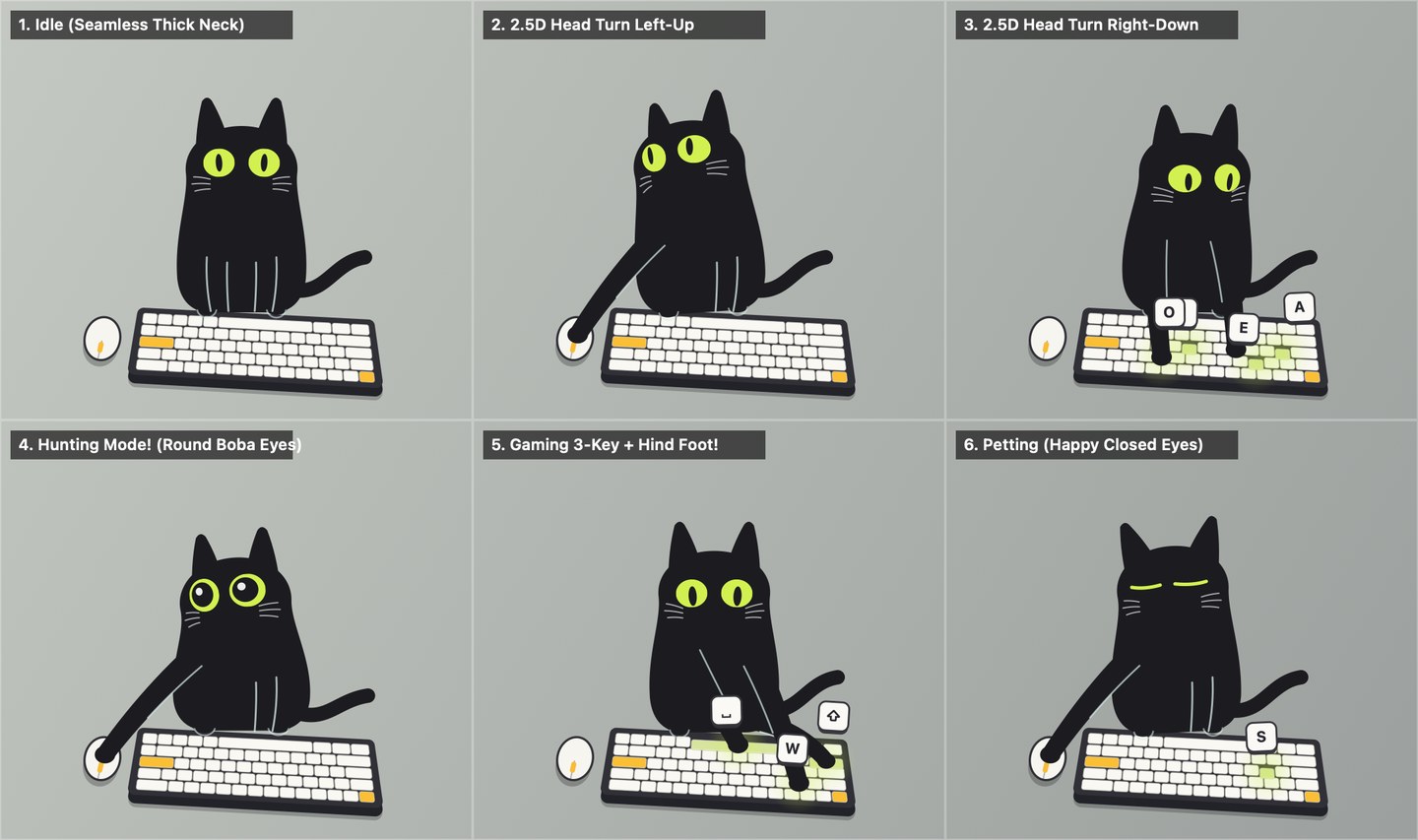
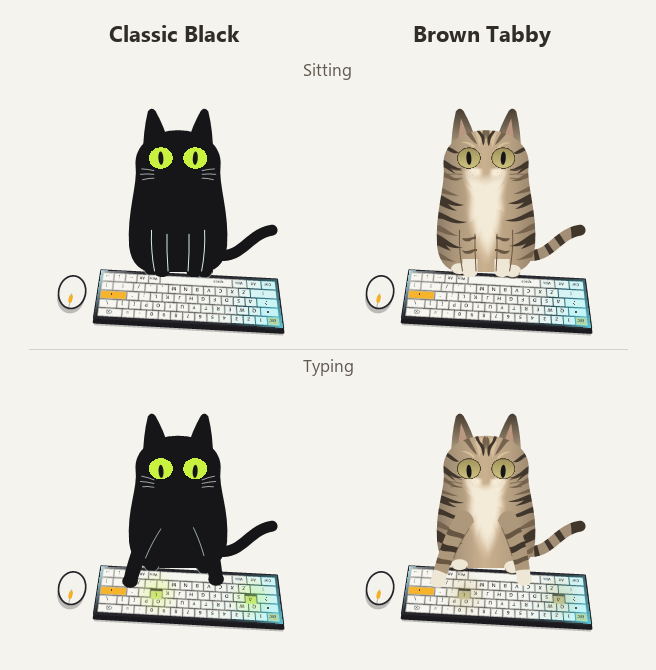
KuroCat Classic Black Cat skin with neon yellow-green eyes and mechanical keyboard
Classic Black CatNeon chartreuse eyes · Soft white sticker outline
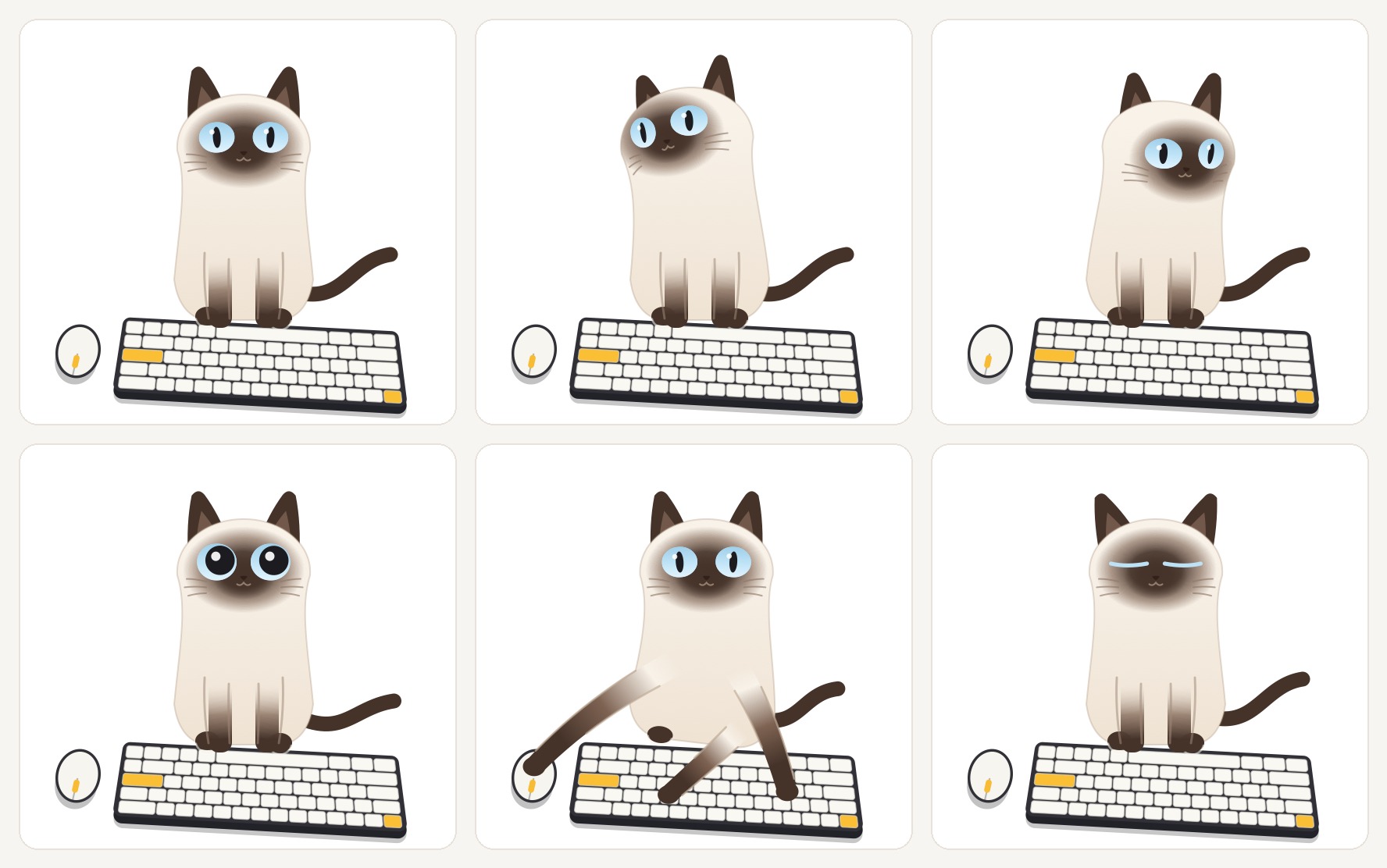
KuroCat Seal Point Siamese skin with caramel mask and sapphire blue eyes
Seal Point SiameseSleek build · Caramel point gradient & sapphire eyes
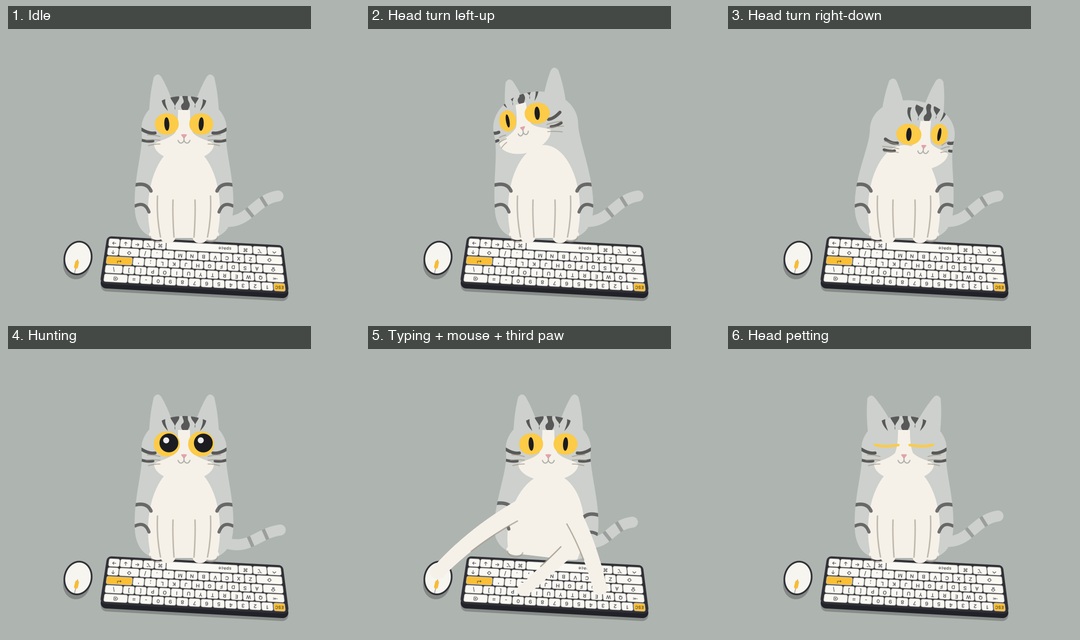
KuroCat American Shorthair Silver Tabby skin
Silver Shorthair TabbySilver mackerel stripes · Warm cream forelegs
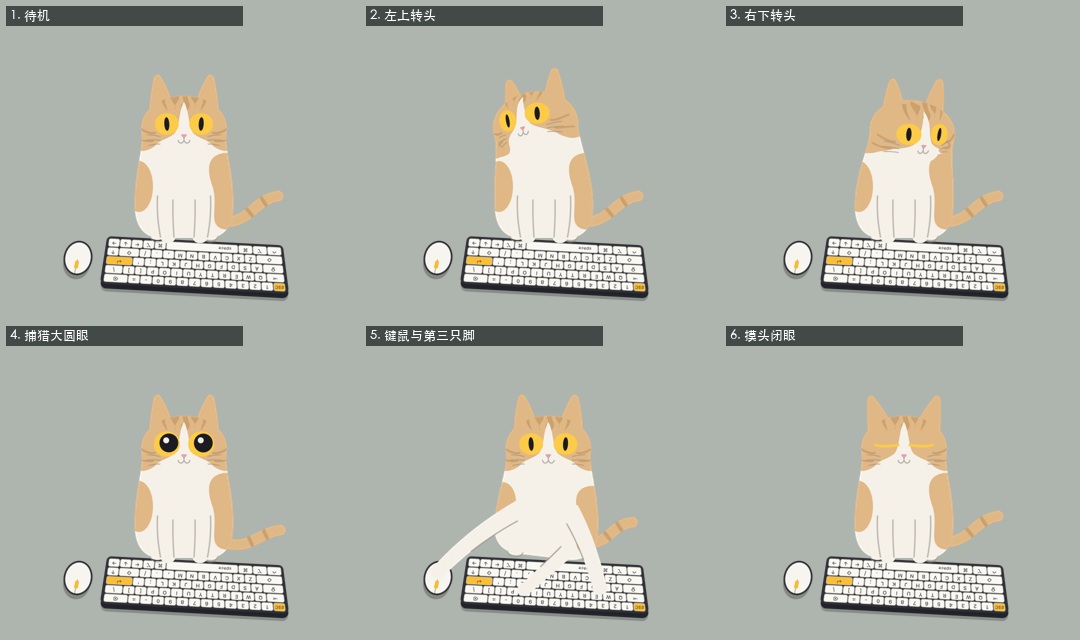
KuroCat Orange and White Tabby desktop cat skin
Orange & WhiteWarm ginger back stripes · Cream belly & amber eyes
KuroCat Brown Mackerel Tabby skin with olive-gold eyes
Brown Mackerel TabbyOat brown stripes · Feathered bib & olive gold eyes
Community Plaza

Xiao Douni, Monster Hunter Palico & more

Download community creations including comic style Xiao Douni, Monster Hunter Dazed Cat, Abyssinian, and custom keyboards for free.

Browse Skin Plaza
Side by Side

How KuroCat compares to Bongo Cat & web pets

A direct, factual comparison across architecture, platform support, streaming readiness, and privacy.

Criteria KuroCat (v1.4.3) Classic Bongo Cat Electron Desktop Pets
Architecture & size Native Swift / Win32 C++ / GTK3, 802 KB single exe Fragmented community forks with uneven quality Bundled Chromium, often 100+ MB download
Platforms macOS, Windows, Linux, UnionTech UOS & Kylin Mostly Windows only Cross platform with high RAM usage
OBS & graphics tablet Built in transparent / green screen OBS & auto stylus Manual config files and third party plugins Usually basic keyboard & mouse only
Custom skins Open .kurocat & .kurokb formats + browser Workshop Manual PNG sprite sheet swapping Often closed source or paid packs
Gaming & idle efficiency Click through, fullscreen auto hide, low FPS sleep No fullscreen auto hide or sleep pacing Background browser process drains battery
Privacy & license 100% MIT open source, zero keystroke logging, free Many repacks lack clear source code Frequently closed source telemetry
Get Started in 3 Steps

Pick your OS and adopt your cat in seconds

Choose the fast direct mirror or official GitHub Releases. Every build is compiled automatically via GitHub Actions with matching SHA 256 hashes.

01

Download your build

Your OS is detected automatically. Download via the fast direct mirror or GitHub Releases.

02

Launch & interact

Run the single exe on Windows, drag to Applications on macOS, or install .deb / user tar.gz on Linux.

03

Drop skins to customize

Right click for native Settings, OBS mode, or drag any .kurocat or .kurokb file onto the cat.

macOS Universal (Apple Silicon & Intel)

Single zip supporting M series and Intel Macs on macOS 11+. Signed with a stable certificate so updates keep your Input Monitoring permission.

v1.4.3 · 944 KB · KuroCat-macOS-universal.zip
SHA-256 Checksum
85b85ca6c01099a4e80345370d66c9a38dcb8a304cb753a1f3ab3ad43601013e
On first launch, enable KuroCat in System Settings → Privacy & Security → Input Monitoring, then restart from the menu bar.

Windows x64 Portable Single File

Zero external runtime dependencies for Windows 7 SP1 through Windows 11. Runs straight from the single executable with native in app auto update.

v1.4.3 · 802 KB · KuroCat-Windows-x64.exe
SHA-256 Checksum
a54e4ed722e8905c37cf8f91bb242cc13a26228833006a40626ec85987a12f06
If SmartScreen warns about an unrecognized app, verify the SHA 256 hash above before running. Launch as Administrator for elevated games or WPS.

Linux / UnionTech UOS / Kylin

Built on Debian 10 (glibc 2.28) for Ubuntu, Debian, Deepin, UOS 20, Kylin V10, Arch, and Fedora in x86_64 and ARM64.

v1.4.3 · x86_64 & ARM64 · .deb / .tar.gz
amd64 / x86_64 Intel · AMD · Zhaoxin · Hygon
.deb Package · 205 KB User-Space tar.gz · 249 KB
arm64 Phytium · Kunpeng · Raspberry Pi
.deb Package · 175 KB User-Space tar.gz · 226 KB
Run bash install.sh inside the extracted tar.gz for password free user installation. On pure Wayland, run sudo usermod -aG input $USER once and re login.
Every package is built by GitHub Actions with identical SHA 256 checksums across mirrors.
FAQ

Common questions answered clearly

Privacy, Bongo Cat comparison, OBS setup, and OS permissions. Need help with something else? Open a GitHub Issue.

Does KuroCat record or upload my keystrokes?

No. Every keyboard and mouse event stays strictly in local memory to drive animations and counters. Nothing is logged to disk or uploaded. The entire codebase is MIT open source for public inspection.

How is KuroCat different from classic Bongo Cat?

KuroCat is natively built in Swift, Win32 C++, and GTK3 Cairo (802 KB on Windows) across macOS, Windows, Linux, and UOS, adding 2.5D head tracking, hunting eyes, graphics tablet support, OBS transparent/green modes, 2D scruff drag physics, and an online Skin Workshop.

How do I add KuroCat to OBS Studio or streaming apps?

Right click the cat or tray icon, open Settings, and enable OBS Transparent Window Capture or OBS Green Screen (#00FF00), then add a Window Capture source in OBS. Fullscreen auto hide pauses automatically during OBS capture.

How do I open Settings after enabling full mouse click through?

Click the KuroCat icon in the macOS menu bar or Windows / Linux system tray anytime. You can also hold Option on macOS or press Ctrl + Alt + Shift + P on Windows to toggle menu access.

macOS says unverified developer or keyboard does not respond?

Right click KuroCat.app and pick Open on first run. Then check KuroCat under System Settings → Privacy & Security → Input Monitoring and restart it from the menu bar.

Is the Windows SmartScreen prompt normal?

Yes. Open source indie apps without a paid commercial signing certificate can trigger SmartScreen on new releases. Compare the SHA 256 checksum with GitHub Releases, then click More info → Run anyway.

Does it work on UnionTech UOS and Kylin Linux?

Yes. Linux packages target glibc 2.28 (Debian 10) for both x86_64 and ARM64, supporting UOS 20 and Kylin V10 with both .deb and password free tar.gz installers.

How do I turn my own cat into a custom skin?

Open the KuroCat Skin Workshop in your browser to analyze a cat photo, draw bezier coat regions, add 2.5D sticker accessories, export .kurocat, and drag it right onto your desktop cat.

Bring your keyboard cat home today

Free, MIT open source, native speed, and zero keystrokes uploaded.

If KuroCat brings joy to your coding, gaming, or drawing sessions, scan via WeChat to support ongoing updates.

KuroCat is forever free and MIT open source. Thank you for every bit of support.

Copied to clipboard